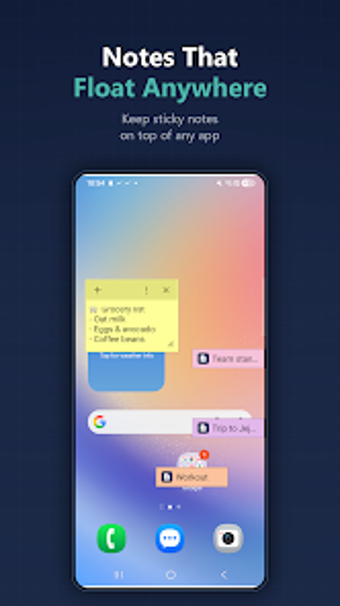
Floating sticky notes for Android that keep information on-screen
FloatNote: Sticky Notes, developed by CodeDAC, brings persistent note-taking to Android for multitasking users. The app creates floating notes that remain on top of active applications so you can capture memos or reference details without switching apps. It offers rich text styling, inline images, quick-capture paths, and color organization. Designed for students, researchers, and professionals, FloatNote keeps key information accessible while you continue working.
Persistent overlays keep reference material visible during active tasks
FloatNote implements a floating overlay that stays above browsers, video players, and chat windows, so notes remain readable while other apps run. The tool requires permission to draw over other apps on Android devices to display those overlays. That placement supports in-situ note-taking during calls or media playback, reducing back-and-forth between apps when you need to copy or record short items.
Capture paths suit quick, context-driven note creation
The workflow focuses on rapid capture, with several entry points for new notes. Quick capture methods include:
- the Android share sheet
- selected-text capture
- a Quick Settings tile for instant notes
Notes accept styled text (bold, italic, underline, color, size) and can embed photos for visual reference, so rapid captures still carry context and formatting needed for later use.
Sync design favours privacy and direct cloud control
Synchronization uses the user's own Google Drive rather than developer-controlled servers, storing notes locally and uploading them to a private Drive folder when sync is enabled. Cross-platform access to Windows PCs happens through that Drive-based route as a gated sync feature, which preserves data control but requires explicit setup to share notes between devices.
Appearance controls and compact chips support persistent multitasking layouts
Notes can be color-coded and reduced to small, collapsible chips to save screen space, then expanded back to full cards when needed. Additional appearance controls such as more color themes and adjustable opacity are available in a gated tier, while the open tier provides basic color choices. These presentation options help arrange multiple on-screen notes without fully obscuring the primary app.
FloatNote fits mobile multitaskers who accept modest setup for cross-device continuity
FloatNote suits students, researchers, and solo professionals who need persistent, on-screen references and prefer keeping their data in their own cloud storage. Its privacy-oriented sync and compact note layout reward users willing to configure Drive-based synchronization. Teams that require real-time collaborative editing or native enterprise integrations should consider tools focused on shared document workflows instead.